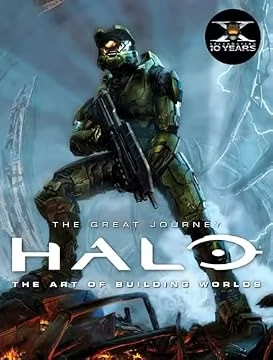

 -20%
-20% New
NewEtsyTools & Home Improvement › Deals & Promotions
Play House Prompt Builder | Midjourney AI Art Tool (HTML Download)
$8.82$17.63-50%
Save $8.81
In Stock
- Seller:
- AICraftTools · 4.9% positive (11)
- Ships from:
- GB
DESCRIPTION This tool helps you craft high quality Midjourney prompts in seconds. Select object, style, color palette from dropdowns - prompt is ready. Generate unique outstanding images promptly! ⚡ WHAT IT DOES Play Haus Prompt Builder Pro is a single-file, browser-based Midjourney prompt design studio built specifically for bold, colourful, high-energy digital product creation. You choose every element of your image — the subject, colour palette, mood, dopamine element, season, detail level, and aspect ratio — and the tool assembles a correctly formatted, engine-optimised prompt, ready to paste into Midjourney in seconds. No prompt writing from scratch. No syntax errors. No guessing what parameters to use. Just structured creative decisions and clean, production-ready output. 🛠️ NEW — PACK BUILDER This is the feature that changes how you work at scale. Most Etsy sellers don't make one product — they make collections. A kawaii critters sticker bundle. A retro 70s pattern series. A seasonal character set across twelve occasions. Before Pack Builder, that meant rebuilding your prompt from scratch for every variation. Now it means one click. Build and refine your base prompt using the sidebar. Open Pack Builder, choose which dimension to vary — Subject, Colour Palette, Dopamine Element, Occasion, or Mood — add your values, and hit Generate. The tool produces a complete, ready-to-run batch of Midjourney prompts, each one a deliberate variation of your original design. Export the entire list as a .txt file and run your batch straight from the file. One crafted prompt becomes a full production list. That's the difference between an afternoon and a week. 🎨 3 OUTPUT FORMATS. CORRECT SYNTAX FOR EACH. Switch format and your prompt updates its structure instantly — no manual rewriting. ✦ Print / Wall Art — structured for flat graphic artwork and home decor prints, subject and design parameters first so Midjourney reads your creative intent correctly ✦ Seamless Pattern — automatically appends --tile and formats for tileable surface design ✦ PNG Isolated — adds negative prompt parameters for clean isolated objects (no shadow, no background, no gradient) ready for clipart bundles and sticker sheets 🗂️ BUILD PROMPTS FOR EVERY DIGITAL PRODUCT TYPE Not just "a cute character" — the right prompt structure for the exact asset you're making: Wall Art Prints — flat graphic artwork, statement pieces, gallery wall sets Clipart Elements — isolated PNG-ready objects, no background, flat vector feel Seamless Patterns — tileable repeat surface designs for fabric, paper, and POD Sticker Designs — thick-outline vinyl-quality sticker art POD Graphics — t-shirt, mug, tote-ready flat illustrations Character Art — kawaii animals, food characters, critter squads 🎛️ YOUR CONTROLS Every setting is a deliberate creative decision you make: 🌈 Subject — 40+ built-in options across kawaii animals, retro characters, food, nature, and abstract, plus custom text input 🎨 Colour Palette — 13 options from Full Dopamine and Candy Pastels to Retro Warm, Neon Brights, Dreamy Soft, and B&W + Pop Accent ✨ Mood Chips — mix and layer: Joyful · Dreamy · Nostalgic · Surreal · Playful · Maximalist · Cosy · Bold — or add your own 🍭 Dopamine Element — add confetti, sparkles, rainbows, kawaii faces, and more 📅 Occasion / Season — Holiday, Spring, Summer, Halloween, Christmas, Valentine's, Back to School, and more 🔢 Detail Level — 1–5 scale from clean simple artwork to hyper-layered maximalist chaos ⚡ Stylize Slider — 0–1000, controlling how literal or expressive Midjourney renders your design 📐 Aspect Ratio — Square, 3:4 portrait, 4:3, wide 16:9, or custom input 🔢 MJ Version — 5 · 5.2 · 6 · 6.1★ · 7 · 8 · 8.1 — one-click selection with version notes 🎭 MJ Style — Raw, Cute, Expressive, or Default 🚫 Negative Prompt — exclude anything you don't want 🖼️ Style & Character References — paste --sref or --cref URLs for series consistency ⭐ 50+ ONE-CLICK STYLE PRESETS Each preset pre-fills your entire workspace — subject, palette, mood, dopamine element, and stylize value — from a curated starting point built around real digital product aesthetics. Apply one, then shape every control to match your own direction. 🌈 Max Dopamine · 🫠 Gen Z Chaos · ⚡ Neon Maximalist · 🌊 Full Rainbow · 🌸 Dopamine Bloom · 🐸 Kawaii Critters · 🍭 Candy Critters · 🍄 Kawaii Forest · 🐙 Kawaii Ocean · 🚀 Kawaii Space · 🍩 Kawaii Food · 🕺 Retro 70s Pop · ✌️ 60s Flower Power · 📼 90s Nostalgia · 🤖 Retro Toy Box · 🕹️ Arcade Neon · 🖨️ Riso Print Club · 🟡 Riso Blue + Yellow · 🔁 Seamless Pattern · ♟️ Checkerboard Pop · 🫧 Polka Party · 🎂 Birthday Blast · ☀️ Summer Sizzle · 🎃 Halloween Fun · 🎄 Play Haus Xmas · 💌 Valentine Pop · 🌷 Spring Bloom · ✏️ Back to School · 🐸 Frog Squad · 🦕 Dino Party · 🐝 Bee Happy · 🐌 Snail Mail · ☁️ Cloud Weather · 🦆 Duck Parade · 🌿 Neon Jungle · 🌵 Cactus Club · 🍄 Mushroom Magic · 🍓 Fruit Salad · 🌹 Rainbow Roses · 🌙 Dreamy Pastel · 🏠 Maximalist Interior · 🏰 Candy Land · 🎈 Balloon World · and more 🛠️ BUILT-IN TOOLS 📜 Prompt History — every copied prompt is saved automatically (up to 30 entries), with full settings recall — restore your exact state from any previous session ⭐ Favourites — star and save prompts to return to, exportable as .txt 🎲 Surprise Me — randomises all controls as a creative starting point 💡 Tips Panel — practical guidance on prompt structure, stylize values, --tile usage, --sref series work, and PNG output 📦 Custom Presets — save your own named presets with emoji icons and descriptions, stored locally, available every time you open the tool 📤 Session Export / Import — save your full session — history, favourites, custom presets, and all settings — as a single JSON file and restore everything instantly 🌙 Light / Dark Theme — your preference is saved between sessions 📦 WHAT YOU RECEIVE ✔️ One HTML file — opens in Chrome, Firefox, Edge, or Safari, no installation ✔️ Works fully offline after download ✔️ No account, login, or subscription required ✔️ One-time purchase — all future updates at no additional cost ✔️ Windows · Mac · Linux · any device with a modern browser ✔️ Licensed for personal and commercial use — prompts you design may be used to create and sell digital products ❓ FAQ Q: What is this product? A: Play Haus Prompt Builder Pro V3.0 is a single HTML file prompt building tool for bold, colourful digital product creators. You choose your settings — subject, palette, mood, format, detail level, MJ version — and the tool structures your choices into a properly formatted Midjourney prompt, ready to run in seconds. Q: Do I need to install anything? A: No. Download the file, open it in any modern browser, and it's ready to use. Works fully offline after download. Q: Which image tools does it work with? A: V3.0 is built and optimised for Midjourney, supporting all versions from 5 through 8.1 with correct --ar, --stylize, --v, --tile, and --no parameter syntax. The prompt text also works with any other text-prompt image tool. Q: What is the Pack Builder? A: Pack Builder lets you expand a single crafted prompt into a full set of variations. Choose which element to vary (Subject, Colour Palette, Dopamine Element, Occasion / Season, or Mood), add your own values, and generate a complete prompt list ready for batch use in Midjourney. Export the full list as a .txt file in one click. Q: What is the difference between the three output formats? A: Print formats your prompt for flat graphic wall art with subject and design parameters leading. Seamless Pattern adds --tile automatically and structures the prompt for surface design. PNG Isolated adds negative prompt parameters (no shadow, no background) for clean clipart-ready objects. Q: Why does the subject come first in the prompt? A: Midjourney weights the beginning of a prompt most heavily. By placing subject and design intent first and technical/format descriptors last, the tool ensures Midjourney renders your actual design rather than a photographic product mock-up. This is a deliberate structural choice, not cosmetic. Q: What are the Style Presets? A: Each preset is a pre-filled starting configuration — subject, palette, mood, dopamine element, and stylize value — built around real digital product aesthetics. Apply one as a starting point, then adjust every setting to match your own creative direction. Q: Can I save the prompts I design? A: Yes. History and Favourites both persist between sessions. Close the file, reopen it, and everything is still there. Both can be exported as .txt files. You can also export and import full sessions as JSON, and save your own named custom presets to localStorage. Q: Can I enter my own subjects, palettes, and moods? A: Yes. Every section has a custom text input for anything not in the built-in options. Q: What is the --sref field for? A: Paste one of your own image URLs as a visual style reference in Midjourney. Useful for keeping character design, colour palette, or graphic style consistent across a collection or series. Q: Can I use the prompts I design commercially? A: Yes. Prompts you build with this tool may be used to create and sell digital products, subject to the terms of your image tool. Q: Can I resell or share this file? A: No. Licensed to the original purchaser only. Reselling, sharing, or re-listing is not permitted. Q: Does it work on Mac and Windows? A: Yes. Works on Windows, Mac, Linux, and any device with a modern browser. ⚠️ LICENSING Licensed to the original purchaser only. This file may not be resold, redistributed, shared, or re-listed on any platform in any form.
Available from
| Retailer | Condition | Shipping | Availability | Price | |
|---|---|---|---|---|---|
| Other retailers | |||||
EtsyBest priceSold by AICraftTools | New | — | In Stock | $17.63$8.82 | |
Other retailers
- EtsyBest priceSold by AICraftTools$17.63$8.82
New · In Stock
Price last checked: Aug 9, 2026. Prices may change — always confirm the final price on the retailer’s site.
Specifications
Item Details
- Handmade By
- The shop owner
- Made
- 2020–2026
- Listing Type
- Download
- Craft Supply
- Yes
- Tags
- midjourney tool, prompt builder, prompt generator, prompt tool, digital product tool, digital tool, AI prompt generator, POD design tool, digital design tool, Prompt engineering, Dopamine Art Tool, Gen Z Wall Art, Gen Z Maximalism Art
Similar deals
-20%
 -50%
-50%
 -50%
-50%
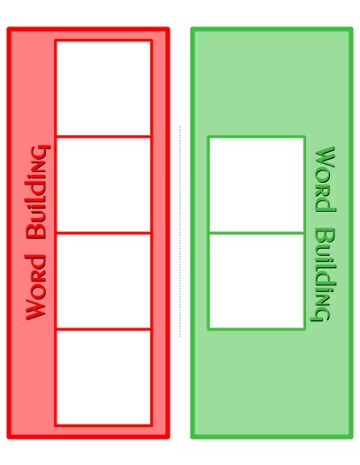 -20%
-20%Etsy
Phonics Pattern Mats & Tiles Activity Kit: Preschool Learning (Instant Download)
$2.15$2.69
Save $0.54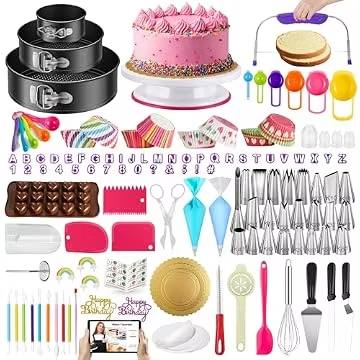
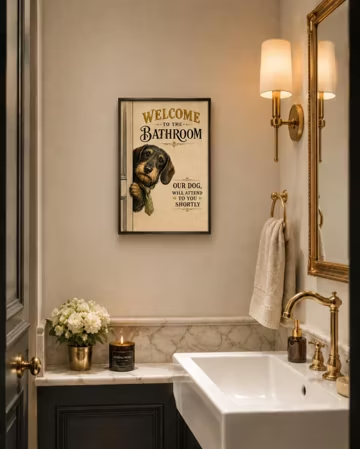 -50%
-50%Etsy
Funny Dog Bathroom Print | Dachshund Toilet Wall Art | Dog Lover Gift | Digital Download
$4.43$8.87
Save $4.44 -50%
-50%Etsy
Personalised Wooden Name Badges - Custom Engraved Wood Logo Tags with Pin or Magnetic Fastener
$3.51$7.01
Save $3.50 🔥 Hot
🔥 Hot