
 -30%
-30%Etsy
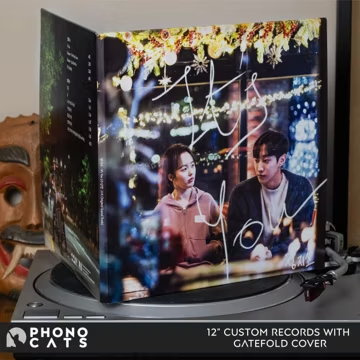
Custom Vinyl Record Pair: Gatefold Album with Bespoke Mixtape - A Gift to Remember
$104.17$148.81
Save $44.64 New
NewShow your chat what you're vibing to in real-time, completely hands-free with this aesthetic Spotify Music Widget. It automatically displays your live music directly on your stream overlay. No manual updates, no annoying bots—just a clean, professional, and automated music display that works seamlessly. ✨ 4 STYLES IN 1 WIDGET Why buy one widget when you can get four? Switch layouts instantly in your StreamElements settings with zero coding: • 💿 CARD — Large, gorgeous album art with a soft blurred background glow. • 🎵 BAR — Floating vinyl disc art that overlaps a sleek info bar. • 📼 STRIP — A slim, ultra-minimalist one-line display for clean setups. • 💊 CAPSULE — Rounded pill shape featuring a cozy, animated wave background. 🎨 100% CUSTOMIZABLE (NO CODING REQUIRED) Customize every single detail to match your stream's branding using simple sliders and color pickers: • Match your vibe: Independent color controls for title, artist, and background (customizable per layout!). • Dynamic styling: Toggle drop-shadows, adjust corner rounding, borders, and background blur. • Smooth scrolling: Long song or artist titles automatically marquee scroll so they never get cut off. • Bar layout options: Choose between a flat cover, a static vinyl ring, or a spinning record. • Quick scaling: Resize the entire widget instantly with a single scale slider. 💬 CHAT COMMANDS & ENGAGEMENT Give your community fun ways to interact with your music: • !show / !hide — Toggle the widget on/off on demand. • !widget [style] — Switch layouts live mid-stream (Mods & Broadcaster only). • !react [emoji] — Chat can trigger a cute floating reaction animation over the widget! 🛠️ EASY 4-STEP SETUP Your download comes with a super simple, step-by-step PDF guide: 1. Create a "Custom Widget" in your StreamElements overlay. 2. Copy and paste the HTML, CSS, JS, and Fields from the files. 3. Enter your music service username + API key. 4. Add the overlay to OBS as a Browser Source—you are ready to stream! 📁 WHAT YOU GET • HTML, CSS, JS, and JSON files. • Easy step-by-step installation guide (PDF). • Lifetime free updates for this widget. ⚙️ COMPATIBILITY & TECHNICAL INFO • Works with: Spotify, YouTube, Deezer, and more (via free Last.fm scrobbling). • Platform: Specifically built for StreamElements (Custom Widgets). • Software: Works perfectly as a Browser Source in OBS Studio. • Performance: Ultra-lightweight code—0% impact on your PC performance. ⚠️ PLEASE NOTE This is a digital download. No physical product will be shipped. Because this is a digital file, refund requests cannot be accepted, but I am always here to help if you have any trouble setting it up!
| Retailer | Condition | Shipping | Availability | Price | |
|---|---|---|---|---|---|
| Other retailers | |||||
EtsyBest priceSold by StreamerWidgetsLast checked Jul 22, 2026 | New | — | In Stock | $13.98$3.50 | |
New · In Stock · Last checked Jul 22, 2026
Price last checked: Jul 22, 2026. Prices may change — always confirm the final price on the retailer’s site.
-30% -25%
-25% -20%
-20% -20%
-20% -25%
-25% -20%
-20% -20%
-20% -20%
-20% -20%
-20% -20%
-20% -20%
-20% -20%
-20%Grabbit may earn a commission on qualifying purchases made through links on this site, including as an Amazon Associate. Prices and availability are pulled from retailers and can change at any time — always confirm the current price on the retailer's site before buying.